
+1 Upgrade Per Kill Healing Guide — Golden Apples & Hearts
How healing works in +1 Upgrade Per Kill on Roblox: golden apples in the hotbar, Warrior kit apples, Snack Pack and Second Wind perks, and what the heart HUD shows.
FAQ
How do you eat a golden apple in +1 Upgrade Per Kill?
How many golden apples does Warrior start with?
What does Snack Pack perk do for healing?
What does Second Wind heal?
Do golden apples have a cooldown?
Arena fights in +1 Upgrade Per Kill swing on red hearts and whatever you carry in the hotbar. There is no separate heal spell in the HUD we filmed—golden apples are the visible recovery item, with perks and class kits feeding more apples or kill-triggered heals. Below is what frames prove, plus an honest list of gaps.
How do you heal with golden apples in combat?
Mobile HUD layout (our source footage):
- Bottom center: armor icon row, red heart row, green
UPGRADE n/34bar, then the hotbar. - Hotbar: first slot = current armor piece icon, middle slots = sword and class items, last slot = golden apple with a quantity badge.
- Right side: sword attack, jump, and—while holding an apple—a golden apple button.
To heal, select the apple and use the dedicated button (or your platform’s equivalent—we did not verify PC keys). First-person shots labeled Golden Apple showed partial red hearts (some empty), which matches eating when you are already hurt.
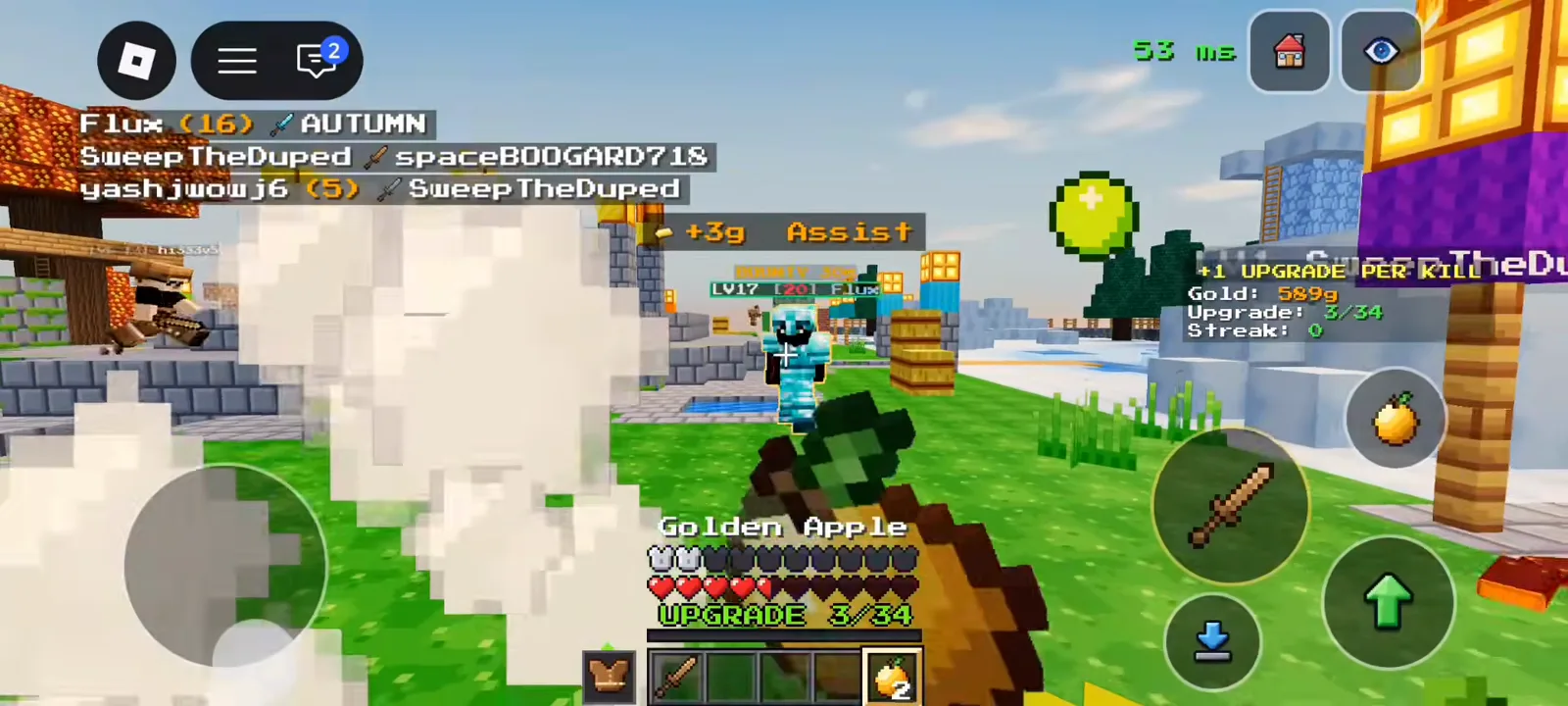
Holding Golden Apple: heart row not full; assist gold banner in the same fight.
We did not measure how many hearts one apple restores, whether two apples back-to-back work, or any cooldown text. Train in Training: hit the dummies! (banner we saw) if you want personal timing notes—our clips only prove the item exists and is usable mid-fight.
What does Warrior give you for healing out of the box?
Warrior (DUELIST) is the default class. Panel text: Sword duelist with extra golden apples. After deaths that reset Upgrade: 0/34, hotbars often showed wooden sword + golden apples ×2.
Class leveling text (Warrior-specific):
- Level II progress example:
59/200 kills + 2,000g to III - Level III line on panel:
start 3 · max 5 apples
We did not play with Level III active—only read the label. Compare other kits in all classes; most ranged classes refill arrows or gadgets on kills instead of apples.
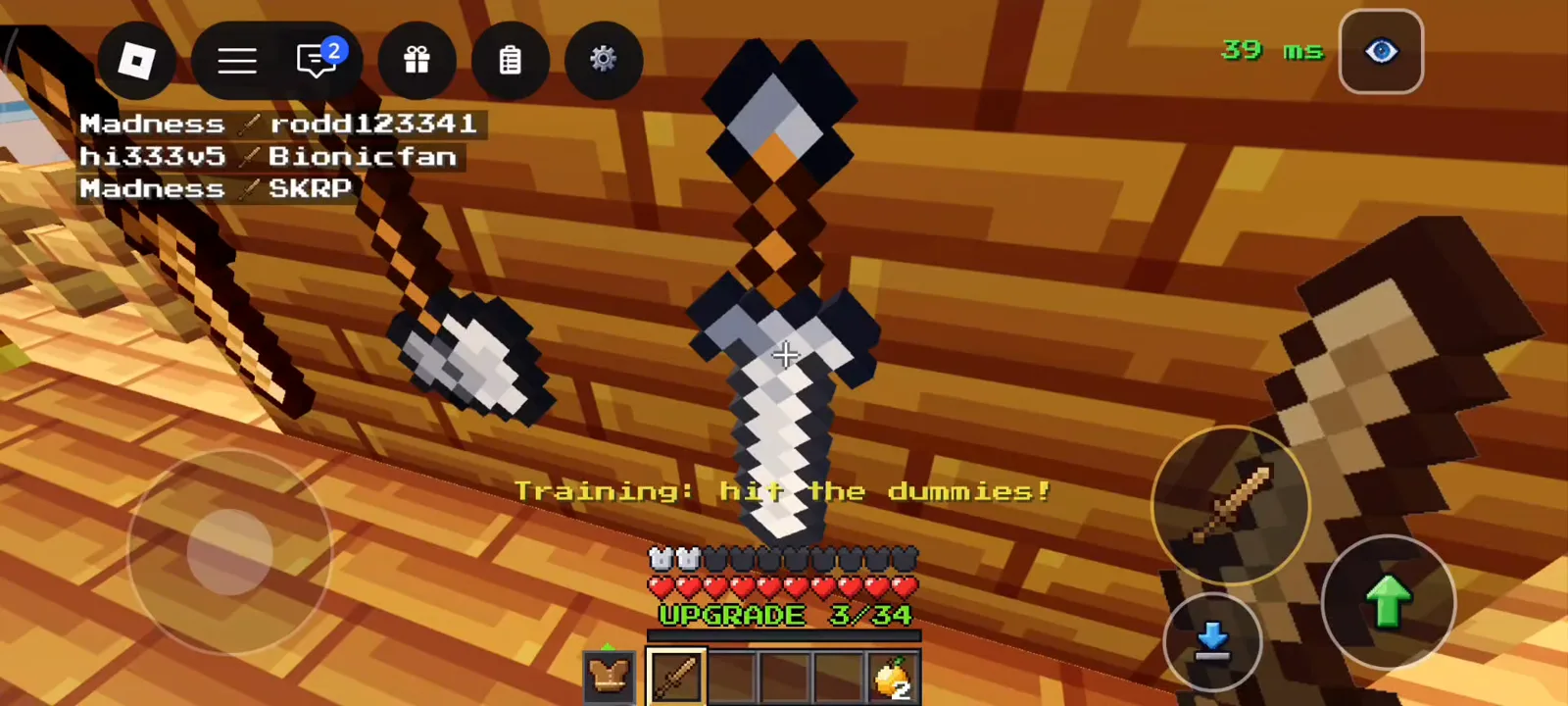
Training lobby: apple stack ×2 in the last slot while hitting dummies.
Which perks add healing or extra apples?
Open lobby Upgrades → Perks (Perks work from spawn). Relevant lines verbatim from frames:
Snack Pack — extra apples over time:
- I:
One extra Golden Apple per life, 30s after the drop. - II:
…15s after the drop.withNext III: at spawn - Shop buttons: 200g (not owned), 500g at I, 1,100g toward II in another frame
Second Wind — heal on kill:
- I:
Heal half a heart on kill./Next II: 1 heart - 1,200g button with Unequip / EQUIPPED states
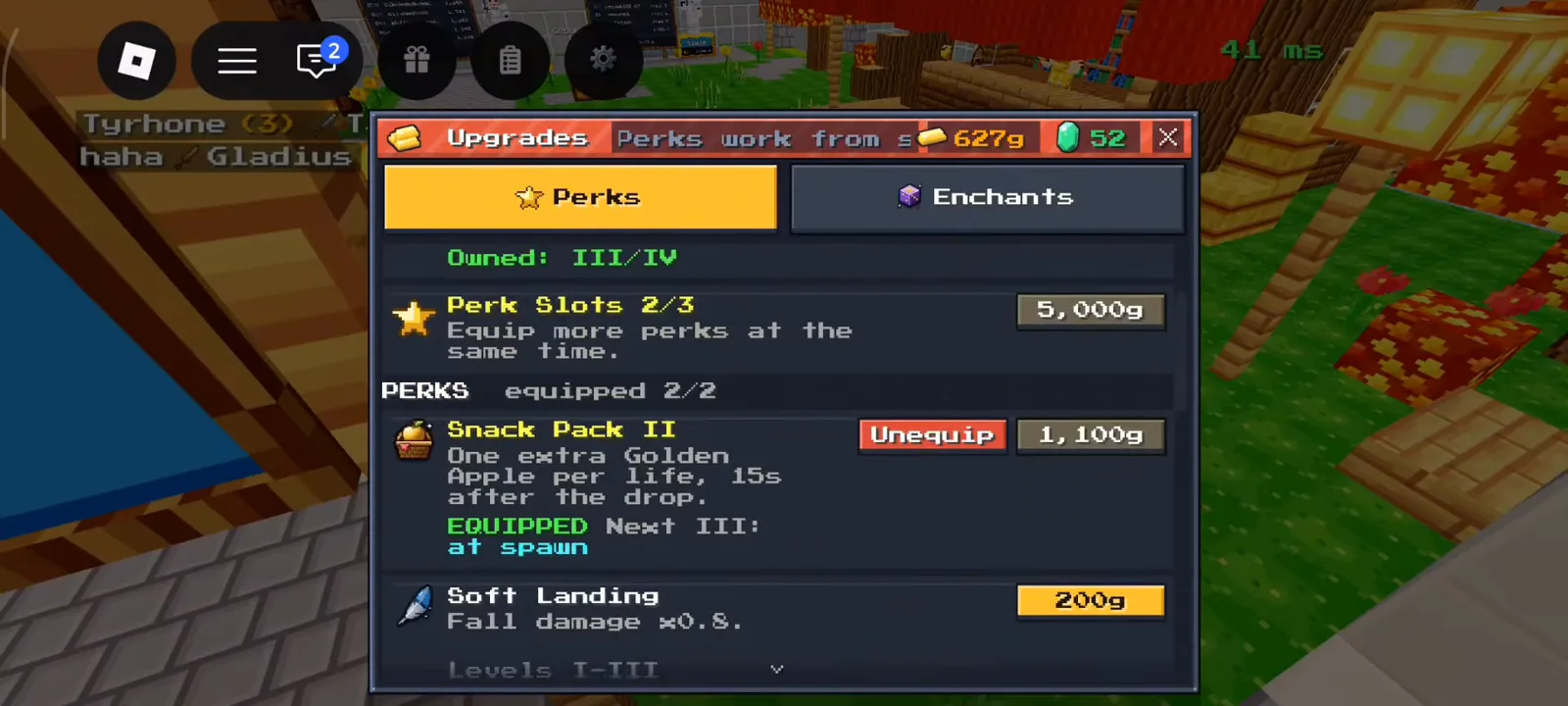
Perks tab: Snack Pack timing text and gold prices for support perks.
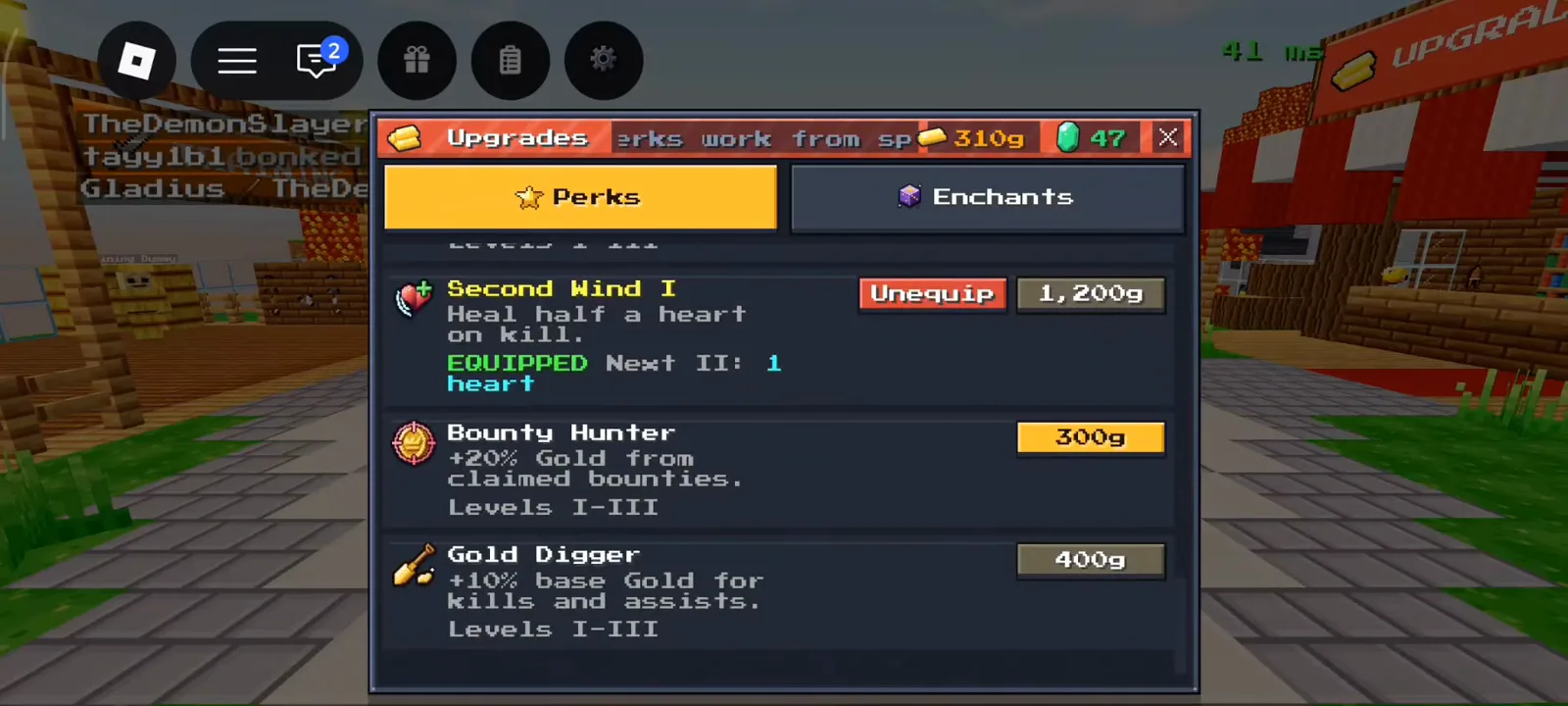
Second Wind I shows heal-on-kill wording; equip state toggles Unequip / EQUIPPED.
Full perk slot math (Perk Slots 1/3 for 1,000g, etc.) lives in perks guide. Head Start only adds armor at spawn—it does not heal you.
How should you read the heart and armor HUD?
Above the hotbar, two icon rows matter in every clip:
- Armor row — shows equipped pieces as small icons (updates as
Upgrade n/34climbs). We did not verify numeric armor values—only that icons change with gear banners like Leather Chestplate. - Red heart row — standard health pips. Damage from fights leaves empty slots; golden apples are used when this row is not full.
Top-right panel also tracks Streak: n, Gold, and Upgrade, separate from health.
Seer (INSIGHT) can See hearts within 6 blocks ( 12 blocks at Level II in panel text)—that is intel on enemies, not self-healing. Details sit with other classes in all classes.
When did we see yellow hearts on screen?
In one combat frame (Upgrade: 4/34), two yellow heart icons appeared above the usual red heart row. We only note that they appeared—we did not verify whether they mark overheal, absorption, a perk proc, or a temporary buff. Do not treat yellow hearts as a documented heal source until you test or Block PvP publishes text.
For economy perks that indirectly help sustain (Gold Digger, Bounty Hunter), see the same perks guide. Saving a high upgrade with Gear Saver does not refill hearts—it only keeps armor tier after death.
Sources and credits
Screenshots on this page were captured from community gameplay videos on YouTube (Gaming Dan — d2iBgatuyl4; MBT — R1JmCacefj4; Prolack012 — fELzp0zADZ8; Garvit Gaming Studio — yrEaAm9U2hM; Xaidenplayzminecraft — M2AXjk_iSY4; Charmeleon — Qsg2sIzSFrE) and are used for illustrative reference; all rights belong to the respective creators. Numbers shown were read directly from those frames on 2026-10-23–2026-10-25 uploads; the game updates often, so values may have changed. This is an unofficial fan site, not affiliated with Roblox Corporation or Block PvP.
- https://www.youtube.com/watch?v=d2iBgatuyl4
- https://www.youtube.com/watch?v=R1JmCacefj4
- https://www.youtube.com/watch?v=fELzp0zADZ8
- https://www.youtube.com/watch?v=yrEaAm9U2hM
- https://www.youtube.com/watch?v=M2AXjk_iSY4
- https://www.youtube.com/watch?v=Qsg2sIzSFrE
Last verified: 2026-10-26
Related Articles
classes
All 10 Classes in +1 Upgrade Per Kill (Roblox)
Every class in +1 Upgrade Per Kill on Roblox: tags, kit, kill resupply, Gold prices, and panel pros/cons from captured Classes screens.
codes
+1 Upgrade Per Kill Codes (Roblox): WELCOME Reward
Every +1 Upgrade Per Kill code we have seen on screen: WELCOME is confirmed (60 Emeralds + Wood Crate), eight more are unconfirmed. How to redeem in Shop.
guides
+1 Upgrade Per Kill Beginner Guide — First 10 Minutes (Roblox)
How +1 Upgrade Per Kill works on Roblox: kill upgrades, lobby HUD, Playtime rewards, Daily Quests, Group Reward, classes, and what death resets.
Was this helpful?
Thanks for the feedback!